# MAKCU Flashing
## AIO Tool Setup
#### 1. Remember to run from Your 2nd PC
* To avoid leaving **temporary files** on your main PC, run the **AIO Tool** from your **second PC**.
* The tool unpacks files into a local temp folder during use.
#### 2.Download the AIO Tool
* **Get the tool from** [**this link**](https://github.com/terrafirma2021/MAKCM_v2_files)**.**
#### 3. Open the AIO Tool
* Launch the AIO Tool and allow it to **update automatically**.
#### 4. Required Hardware
* You’ll need **one USB cable** to flash the PCB.
* This master cable will be connected to the **second PC** during the process.
***
## How To Flash The MAKCU
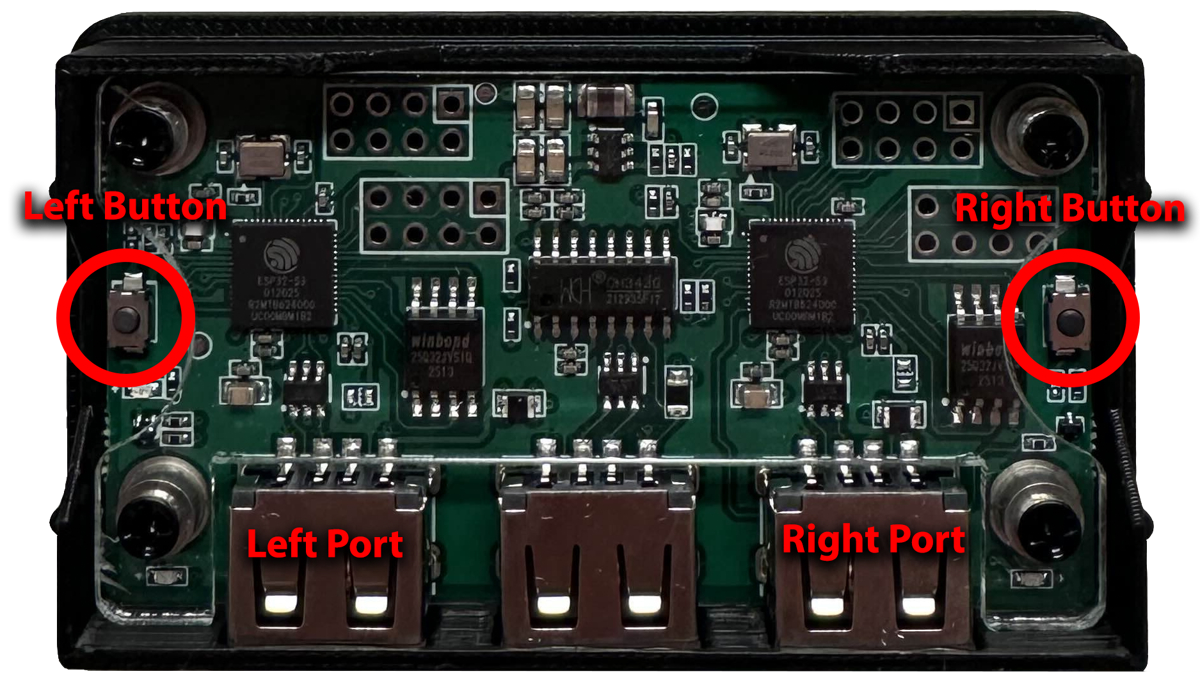
#### 1. MAKCU Layout
#### 2. Flashing the Left Side
1. Hold the **LEFT button**.
2. Plug the USB cable into the **LEFT USB port**.
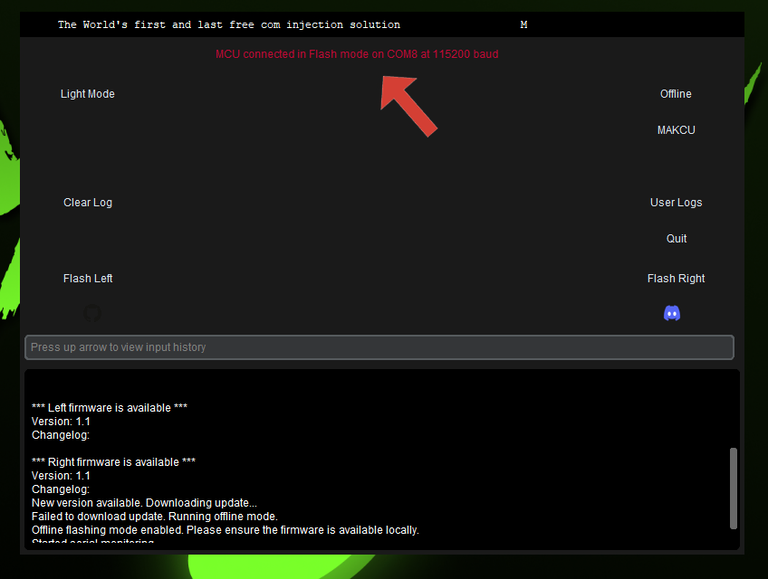
3. The tool should display: **"MCU connected in flash mode"**.
4. In the AIO Tool, click **Flash Left**.
5. Wait for the process to complete.
6. Unplug the USB cable from the **left port**.
***
#### 3. Flashing the Right Side
1. Hold the **RIGHT button**.
2. Plug the USB cable into the **RIGHT USB port**.
3. In the AIO Tool, click **Flash Right**.
5\. Wait for the flash to finish.\
6\. Unplug the USB cable from the **right port**.
####
.png?alt=media&token=1d17ab96-5ac8-48c6-abba-2258673606e0)
.png?alt=media&token=a24824fc-f34e-48af-99b3-1a32bbd0b484)